Estimated reading time: 6 minutes
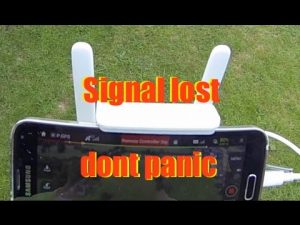
You may be flying in FPV mode or out of range, where the only you can control the drone is through the screen. While it may be fun and all, there are times when the drone loses connection, and you have no idea how to get it back. So, what do you do when your drone loses its signal?
You can get it to fly back home through the RTH button, look for it manually, check the last known coordinates, or check the drone’s telemetry information on your controller.
Table of contents
Why a Drone May Lose Connection?
Typically, the drone will go back home depending on the connection loss and strength. Some usual scenarios are:
- The application loses connection or shuts down due to a faulty USB cable or a software problem, making the mobile or app freeze.
- Signal loss is between the drone and the remote controller. It is distance-related and happens if the drone goes beyond the distance that the remote controller signal can maintain. Also, it could result from magnetic interference from the neighboring areas.
- Another loss of signal scenario is when the GPS signal to the drone is lost.

What Happens When a Drone Is Out of Range?
Drones have a limited range, and when it flies beyond, then the signal required to control it is lost. Therefore, you lose control of the aircraft. If yours is older or a budget one, it will likely fall from the sky or crash into something.
More aged and cheaper drones lack the technology for safeguarding than the newer and more expensive ones have. The more recent and more costly will not crash because they are packed with features that prevent it.
A drone with a GPS memory stores the home position, and therefore whenever it flies, it records the position as its home. It returns to the exact place or within proximity to where it took off from.
The others have a Return To Home (RTH) option, which a pilot can manually activate from the controller.
What Causes Drone Flyaways and How to Prevent It?
What to Do When a Drone Loses Signal?
Steps to Follow-
Most pilots fly in first-person view mode, therefore, rely on the drone’s cameras for navigation. It is a fantastic way to view the world from a different perspective.
However, what will happen if your drone loses signal? You will not depend on the video to get the drone back home, and you will have to do it visually.
The following are the steps to follow:
GPS Flight Mode:
If you lose signal, put your drone into this mode. This setting depends on the type of drone, but it is the standard mode present in all modern drones and use immediately out of the box.
When you set it in this mode, you will have stopped the drone and make it stop on the same spot without being swayed around by the wind as opposed to what happens in ATTI mode. This way, you will acquire the drone visually.
Amazon Prime is giving 6-month trial for $0
All 18-24 year-olds and students welcome.
Start your six month trial
How Drone GPS Navigation Works?
Acquire the Drone Visually:
If you lack the video signal, you will have to find the drone visually. Optimistically, you were keeping track of the flying locality.
This way, you will acquire it quickly or ask a spotter. If you cannot spot it, you are left with no choice but engaging to return to home.
Note: Never let your drone out of your sight
Square the Landing Gear:
Irrespective of the distance, you will see the shape and whether the landing gear is square to you or not. If it is on an angle, rotate the device left or right till the landing gear is square.
Determine the Direction:
It is crucial to determine the direction in which the drone is facing to land it safely. Instead of making random inputs, use the right stick only by moving it to the right and seeing how it reacts. If it makes the proper movement, the drone is facing away from you. If it moves to the left, then it is facing towards you.
How to Find a Drone Without a Tracker?
Do not switch off the controller:
Even though your drone has lost connection with the controller, do not switch it off. Head towards the direction the drone was last seen, and the controller will continue to search for the signal if still powered.
Placing the controller in a metallic pot boosts the signal of the controller. This is because it acts as a satellite. Point the pot controller towards the direction of the misplaced drone, and a connection might be reestablished.
Press the return to home button:
When you lose signal, the video feed also goes off. However, there is a chance that you are still connected to your drone. Head towards the last-seen direction, and if you get close enough, you will regain control.
Use another drone for search (My Advice):
There are drones whose purpose is locating lost ones. Hence, using a second one for searching is actually an excellent idea.
You will get a bird’s-eye view of the landscape. If the lost one’s battery still has some life left in it, wait until nightfall. By using the second one, you will easily spot the lost one with lights blinking.
Check the drone’s last-known coordinates:
If your controller has power, you still have hope. Some controllers keep the last-known coordinates. If this is the instance, key the coordinates into the phone and head towards the location.
However, you still have to do a manual search, but it narrowed down drastically. If you were using an app to fly the drone, check the app’s settings for the exact coordinates usually stored in the app or phone.
How Drones Communicate With the Controller?
Check telemetry information:
Most monitors and displays indicate telemetry information. It is a standard feature found on most controllers, smartphones, and iPads.
When connectivity starts weakening, check the telemetry information. It indicates toward which direction the drone was headed to and a distance from the excellent connectivity point.
When you hit that button, the drone starts coming back, and the distance numbers on the telemetry viewer should start to decrease.
However, if after hitting the button, there is no response, it implies that the return to the home button is faulty. Also, it could mean that the drone is grounded somewhere, or you have totally lost the connectivity, and the device is still flying.
Conclusion:
If you are stressed over losing your drone, it is advisable to look for a return to home drone. They can go back to the beginning position they took off from.
Nobody wants to lose their drone, and owning one that can go back to their initial taking-off position makes it easier to recover it in case the drone loses connection.
HAPPY FLYING!